
Android app · Dronetrake Com
Dronetrake Com is the app for people in the field: push-to-talk radio, room orders that ring even on a locked phone, alarms, the activation chat, SOS with position and the body camera to the room. One app for the whole shift.
On iPhone, radio, chat and SOS work from the browser with the code from the panel.
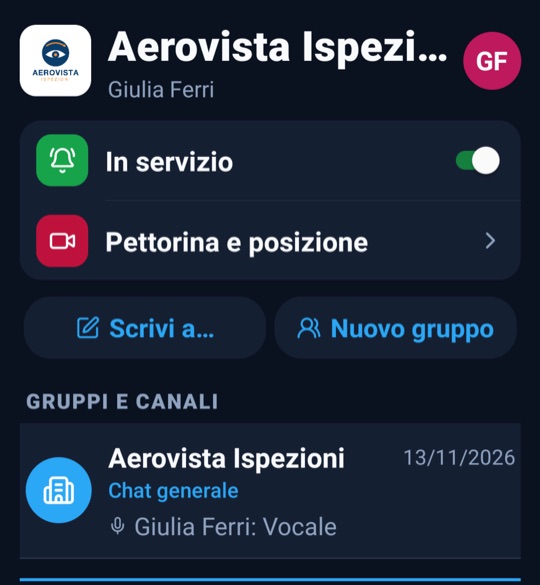
Shared channel or one to one, with call alert. With «On duty» turned on, calls from the room arrive full screen even with the app closed and the phone locked.
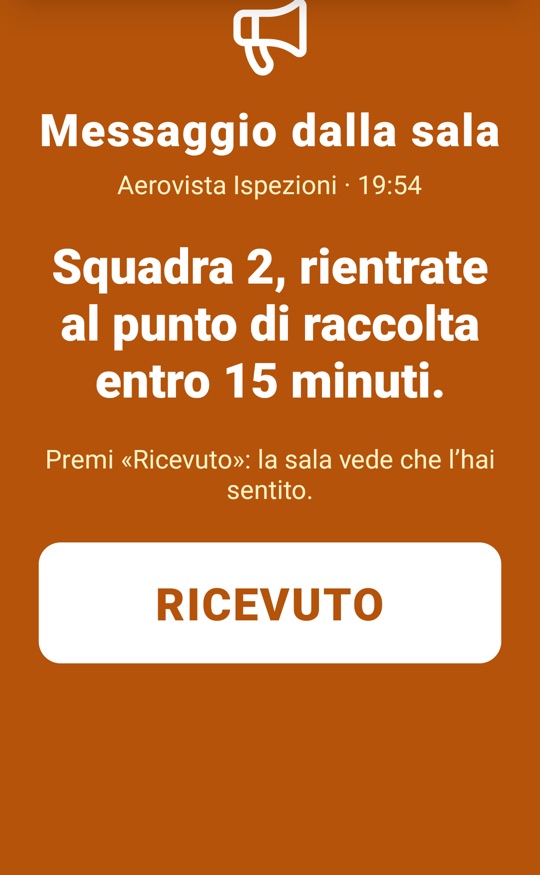
A short tone, then a voice reads the message in the phone's language and the page with «Acknowledge» opens. The room sees who received it and who acknowledged it.
On phones with Google, the order wakes Com with a push notification: no need to keep it open. On body cameras without Google, keeping «On duty» on is enough.
The room's alarm opens Com full screen and asks for acknowledgement; drills are marked as drills.
Operational and group chats tied to the activation, with voice messages.
Press and hold: the room receives the SOS in the activation chat, with the GPS position.
The phone or the Android body camera sends live video and position to the room; body camera recordings are in the Profile.
The app, the notifications and the voice that reads orders speak Italian, English, German, French, Spanish, Portuguese, Dutch, Polish, Romanian and Greek. The voice is generated on Dronetrake servers in Europe: order text does not go through external services and the push notification does not contain it.
Com connects to a Dronetrake organization with the operations room: that is where orders, alarms and calls start, and where you see who is on duty, who received and who acknowledged. If a phone runs a version that cannot ring orders, the room sees it next to the name.
Orders, alarms, calls and live video start from the ULTRA room and reach the Com of everyone in the field.
Discover the ULTRA room